Drawing practice with feedback
Get a clearer next step from your drawing practice.
Practice on paper, upload your sketch, and get focused feedback plus a useful next exercise.
Download Grifoli freeWho Grifoli is for
Grifoli is for artists who want a repeatable way to practice, review a sketch, and choose what to try next. It can sit alongside classes, books, communities, and human critique.
How the visible workflow works
- Choose practice. Start with a drawing exercise, course, or Skill Check when available.
- Draw on paper and upload. Make the attempt away from the screen, then share a sketch with the app.
- Receive feedback and continue. Review the focused feedback and use the suggested direction for another practice session.
What feedback can suggest for your next drawing
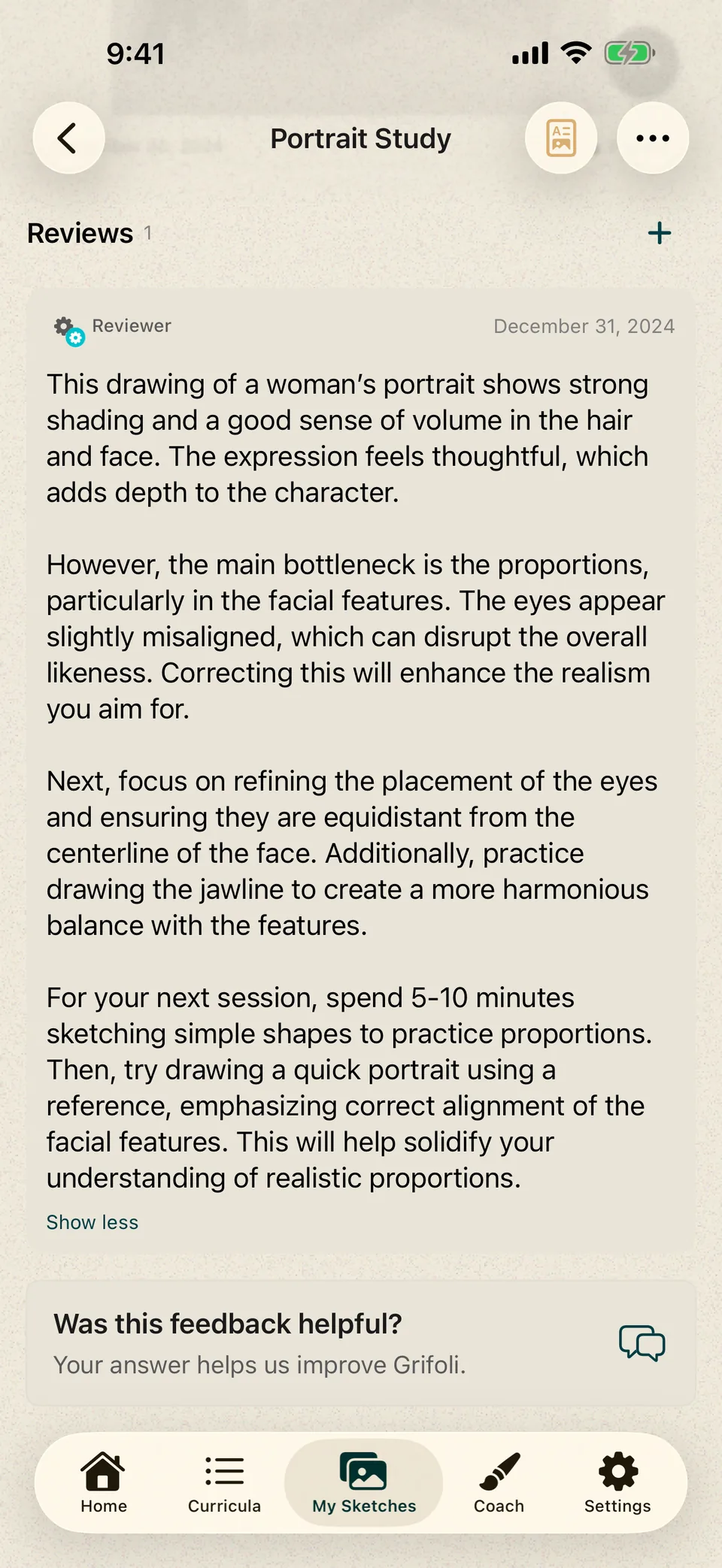
This drawing of a woman’s portrait shows strong shading and a good sense of volume in the hair and face. The expression feels thoughtful, which adds depth to the character. However, the main bottleneck is the proportions, particularly in the facial features. The eyes appear slightly misaligned, which can disrupt the overall likeness. Correcting this will enhance the realism you aim for. Next, focus on refining the placement of the eyes and ensuring they are equidistant from the centerline of the face. Additionally, practice drawing the jawline to create a more harmonious balance with the features. For your next session, spend 5-10 minutes sketching simple shapes to practice proportions. Then, try drawing a quick portrait using a reference, emphasizing correct alignment of the facial features. This will help solidify your understanding of realistic proportions.
- The shading gives the hair and face volume, while the thoughtful expression adds character.
- Next, check eye alignment and facial proportions. Practice with simple shapes, then try a quick portrait from a reference.
Structured lessons, not passive watching
Grifoli’s artist-created lessons break exercises into clear steps, references and practice actions. The short video below is only a condensed view of a drawing developing on paper.
See a drawing develop in 22 seconds.
This short timelapse compresses a longer drawing session to show the process from construction to shadow. Grifoli’s lessons are structured step by step rather than presented as sped-up videos.
Practice away from the screen

A useful tool with clear limits
- Grifoli is available on iPhone and iPad running iOS or iPadOS 17.6 or later.
- Human critique remains useful for nuanced intention, context, and taste.
- No app can guarantee improvement; the value comes from practicing and reviewing consistently.
Download Grifoli from the App Store to check current device support and available features.
Open Grifoli on the App Store